6 Reasons Every Owner Needs Construction Management Software in 2026
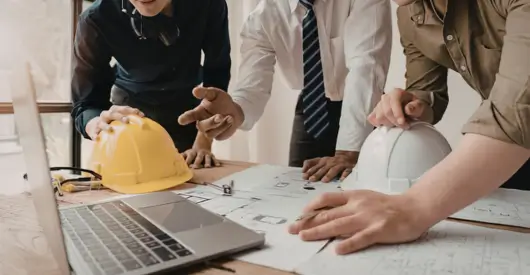
If you’re a project owner in 2026, you already know that the “old way” of building, marked by fragmented spreadsheets, frantic phone calls, and the “gut feeling” of a project manager, is no longer sustainable.
We are operating in an era where construction is more complex, more expensive, and faster-paced than ever before.
Whether you are a developer overseeing a multi-family high-rise or a corporate owner managing a nationwide portfolio, the stakes have shifted.
In 2026, construction management software (CMS) is no longer a “nice-to-have” tool for your general contractor; it is the most critical asset in your own arsenal for protecting your capital.
Moreover, platforms like SuperConstruct are now the baseline for owners who refuse to leave their ROI to chance.
But why now? Why is 2026 the tipping point? Let’s dive into the data-backed reasons why an owner-centric digital platform is your only path to project success this year.
1. The Death of the “Information Silo”
For decades, the biggest risk to any owner has been the “black hole” of project data. You write the checks, but the actual status of the project is often filtered through three different layers of management before it reaches your desk.
By 2026, the industry will have moved toward Common Data Environments (CDE).
Modern software ensures that the architect, the GC, and the owner are looking at the same “single source of truth.”
SuperConstruct facilitates this by providing a unified portal where every stakeholder uploads data in real-time, eliminating the “he-said, she-said” dynamic that plagues traditional builds.
Moreover, research shows that up to 30% of initial data created during the design and construction phases is lost by the time a project reaches closeout.
For an owner, that’s not just lost data, that’s lost value. Using a unified platform ensures that every RFI, change order, and submittal is logged and searchable, providing an airtight audit trail.
You can also read: Construction Project Management: Manual Workflow vs. SuperConstruct.
2. Managing the “Scarcity Economy” of 2026
We are currently navigating a persistent labor shortage and material price volatility.
According to recent data, the construction sector is facing a deficit of nearly 500,000 skilled workers.
When labor is scarce, every hour wasted on a job site due to poor coordination is a direct hit to your ROI.
SuperConstruct allows owners to stay ahead of these macro-economic pressures through:
- Predictive Lead Time Analysis: SuperConstruct’s integrated supply chain modules track the global movement of materials, alerting you to potential delays in electrical components or specialized steel months in advance.
- Labor Productivity Optimization: Software-driven scheduling reduces administrative tasks by 40% to 60%, allowing your existing team to focus on high-value execution rather than chasing paperwork.
You can also read: What is Supply Chain Management in Construction?
3. Real-Time Financial Visibility (Not “Last Month’s” Data)
In the past, owners often found out they were over budget weeks after the money was already spent.
In 2026, with inflation still roiling material costs, “lagging indicators” are dangerous.
Owner-centric software provides real-time cost tracking.
With SuperConstruct’s Financial Dashboard, you can see exactly how a single change order impacts your final “cost to complete” the moment it’s proposed, not when the invoice hits your desk.
However, owners utilizing integrated financial platforms report a 5% to 15% reduction in cost overruns simply through better transparency and earlier intervention.
When you can see a “red flag” on your dashboard in April, you can prevent a catastrophe in October.
You can also read: The Future of Construction Finance: Top Trends in 2026.
4. AI-Powered Risk Mitigation
We’ve officially moved past the “hype” phase of Artificial Intelligence. In 2026, AI is the “quiet assistant” inside your software.
SuperConstruct’s Proprietary AI Engine doesn’t just store your data; it analyzes it to protect your interests.
Modern platforms now use predictive analytics to:
- Identify Schedule Risks: AI can analyze your current progress and warn you 30–45 days in advance if a milestone is at risk of being missed.
- Automated Document Review: Instead of humans spending hundreds of hours scanning contracts for inconsistencies, SuperConstruct’s AI agents flag compliance issues or safety risks in seconds.
For an owner, this means shifting from a reactive stance (putting out fires) to a proactive one (preventing the spark).
You can also read: 7 Key Impacts of AI in Construction Project Management.
5. Seamless Closeout and Facilities Handover
The project doesn’t end when the ribbons are cut. For an owner, the “Operations and Maintenance” (O&M) phase is where the real long-term costs live.
One of the greatest benefits of using SuperConstruct throughout 2026 is the “Digital Twin” it creates.
At the end of the project, you don’t receive a dusty box of paper manuals. Instead, you get a digital hand-off where every serial number, warranty, and maintenance schedule is linked to the 3D model of your building.
This improves “Closeout Speed,” the time it takes to move from construction to full operation, by as much as 25%, getting your building into a revenue-generating state much faster.
You can also read: 4 Ways SuperConstruct Simplifies Construction Documentation.
6. The “Transparency Dividend”
Finally, we have to talk about trust. Construction has historically been a litigious industry.
Disputes over “who knew what and when” can lead to legal battles that last an average of 14 months.
When you own the software environment through SuperConstruct, you own the record.
This transparency actually improves relationships with your contractors. When everyone knows the data is objective and visible, “finger-pointing” disappears, and collaborative problem-solving takes its place.
You can also read: 8 Ways Digital Project Tracking Eliminates Construction Delays.
Why Industry Leaders are Choosing SuperConstruct in 2026
While many construction project management tools were built for the contractor, SuperConstruct was designed with the Owner in mind.
We understand that your priority isn’t just “managing a site,” it’s managing capital, risk, and long-term asset value.
SuperConstruct offers:
- Executive Insights: High-level portfolio views for C-suite decision-makers.
- Automated Reporting: Spend less time in meetings and more time on strategy with reports that generate themselves.
- Bank-Grade Security: Your project data is your intellectual property; we keep it encrypted and accessible only to those you authorize.
You can also read: How SuperConstruct Boosts Productivity on Construction Sites.
Conclusion: Can You Afford to Wait?
The ROI on construction management software is no longer a theory; it’s a verified fact.
Average implementation yields a return of over 400% when factoring in saved time, reduced rework, and avoided legal disputes.
As we move through 2026, the gap between “digital-first” owners and those relying on legacy processes is widening.
Those using SuperConstruct are delivering projects faster, safer, and closer to budget. Those who aren’t are simply bearing a level of risk that the modern market no longer supports.
Your next project deserves the protection of 2026 technology. It’s time to move beyond the blueprint. Start a free trial today!