Spreadsheets vs. Construction Management Software for General Contractors
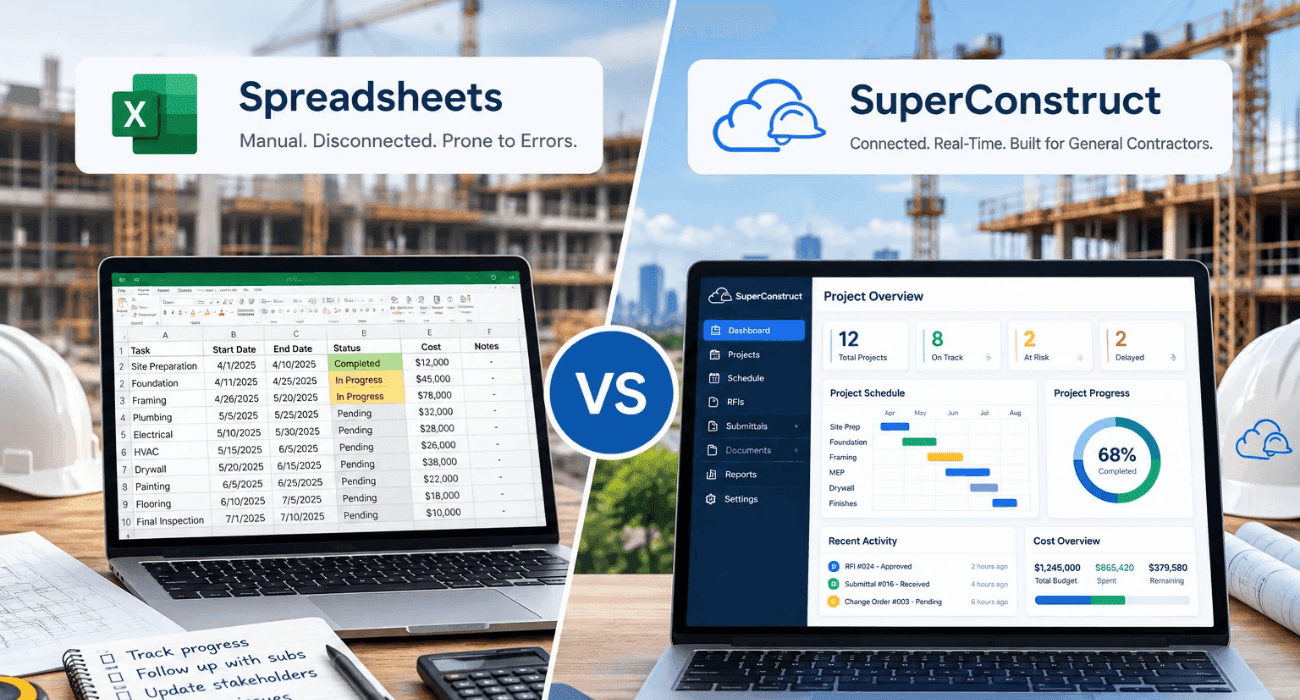
Almost every general contractor has a spreadsheet they would never delete.
It might be the job cost tracker someone built in 2014, with tabs nobody else fully understands. Or the change order log that lives on the PM's laptop.
Or the "master" pay app file, which has three versions in the shared drive and two more in email.
Spreadsheets got many GCs to where they are today. They are familiar, flexible, and already paid for. But the work around them has changed. More subs, more compliance paperwork, tighter lender requirements, and fewer people to keep it all straight.
A PlanGrid and FMI survey of nearly 600 construction leaders found that team members spend more than 14 hours a week on avoidable work, including about 5.5 hours just looking for project data and information. (The survey is from 2018 and covers the industry broadly.)
So is it time to move to construction management software for general contractors , or are spreadsheets still good enough? Below is a fair comparison.
Why General Contractors Still Use Spreadsheets
Spreadsheets deserve credit. They cost nothing extra, everyone knows how to use them, and you can build almost anything in an afternoon.
They are also still everywhere. In a 2026 survey , 83% of respondents said spreadsheets remain one of their primary tools for analyzing project data, even at firms that had invested in dashboards and other platforms.
The problem is not that spreadsheets are bad tools. It's that a GC's job has outgrown what a single file, owned by one person, can safely hold.
You can also read: What Is Construction Management Software and How Does It Work?
Spreadsheets vs. Construction Software for General Contractors at a Glance
| Area | Spreadsheets | Construction Management Software |
|---|---|---|
| Upfront Cost | Free or already licensed | Monthly subscription |
| Setup | Immediate | Days to weeks, depending on configuration |
| Version Control | Manual, easy to lose track | One live record for everyone |
| Pay Applications | Built by hand each month | Generated from the Schedule of Values |
| Change Orders | Logged separately from approvals | Request, pricing, approval, and contract update in one trail |
| Lien Waivers and COIs | Tracked in a separate list | Requested, tracked, and flagged automatically |
| Field Updates | Re-typed from texts, photos, and paper | Logged from a phone on site |
| Audit Trail | Limited or none | Who changed what, and when |
| Access Control | Whole file or nothing | Role-based permissions |
Where Spreadsheets Fall Short for General Contractors
1. Formula Errors Nobody Catches
Spreadsheet errors are well documented.
In field audits summarized by researcher Raymond Panko, 94% of 88 operational spreadsheets contained at least one error, with an average cell error rate of 5.2%.
Those audits covered business spreadsheets generally, not construction, and are now dated, but the point holds: the bigger the file, the more likely something is wrong.
On a cost tracker, one broken SUM can hide an overrun until closeout. Construction software for general contractors calculates budget, committed, and actual costs from the same underlying records, so there is no formula to break.
2. Version Confusion
"Final_v3_PM_edits.xlsx" is a familiar file name for a reason.
When the PM, the accountant, and the super each have a copy, nobody is sure which numbers are current.
Disconnected tools make this worse. In Quickbase's 2025 Gray Work Report , 71% of construction professionals said using multiple project management tools makes information sharing difficult, and teams reported losing more than 11 hours a week tracking down updates.
3. Pay Applications Built by Hand
Rebuilding an AIA G702/G703 every month in Excel, then rolling up each sub's billing, is slow and easy to get wrong.
A rejected pay app means a late draw, and late draws are expensive. Rabbet's 2024 Construction Payments Report estimated that slow payments cost the U.S. industry $280 billion that year.
Pay application software builds the pay app from the Schedule of Values and checks the required documents before it goes out.
You can also read: Construction Payment Applications 101: Your Guide to Pay App Software
4. Change Orders Without a Paper Trail
A spreadsheet can list change orders. It cannot show who approved them, when, or whether the subcontract was updated to match. That gap is where disputes start.
In North America, errors and omissions in contract documents were the most common cause of construction disputes in the 2025 Arcadis report .
You can also read: 6 Types of Change Orders in Construction
5. Compliance Tracking in a Separate Tab
Lien waivers and certificates of insurance usually live on yet another list.
Someone has to email every sub, update the tab, and match each waiver to the right payment. Miss one, and the lender holds the draw.
6. Field Data That Arrives Late, or Not at All
Supers rarely open spreadsheets on site. Daily logs end up as texts, photos on someone's phone, and notes typed up on Friday.
With general contractor project management software , the log is filled in from a phone, with photos attached, and the office sees it the same day.
You can also read: 8 Ways Digital Project Tracking Eliminates Construction Delays
7. Data You Can't Trust When It Matters
When numbers live in scattered files, reports take days and still carry doubt.
In a 2021 Autodesk and FMI study of more than 3,900 professionals, respondents with formal strategies for managing project data reported fewer delays, less rework, and fewer change orders than those without.
When Spreadsheets Are Still Fine for GCs
To be fair, spreadsheets still make sense in a few situations:
- Very small volume. A GC running one or two simple jobs a year, with few subs and no lender draws, may not feel the pain yet.
- One-off analysis. Quick estimates, what-if scenarios, and ad hoc reports are still easier in a spreadsheet.
- Exports from your software. Good platforms let you export to Excel when you want to slice the data yourself.
Once you are running several projects at once, billing monthly, and managing a dozen or more subs, the hidden cost of spreadsheets usually exceeds the price of software.
How SuperConstruct Replaces the Spreadsheet Stack
We built SuperConstruct as a finance-first platform for GCs who are tired of reconciling five files to answer one question.
The schedule of values drives AI-assisted pay applications on AIA G702/G703 forms . Change orders update the contract value automatically. Lien waivers and COIs are requested and tracked for you, and ACH payments and expense management sit in the same system.
In the field, your team uses daily logs , RFIs , submittals , and inspections from a phone.
And an AI Copilot answers questions about any project in plain English, with citations.
That kind of automation is what contractors are asking for.
In a survey of 235 U.S. contractors, 85% said they expect AI to cut the time they spend on repetitive tasks.
Pricing is a flat $299 per project per month with unlimited users, and we set up each workflow around how your team already runs jobs.
You can also read: How to Manage Construction Projects Without Spreadsheets
How to Move from Spreadsheets to Construction Software for General Contractors
Start with the spreadsheet that hurts most. For most GCs, that is the pay app or the change order log.
- Bring your existing Schedule of Values, budgets, and sub list into the new system, and ask the vendor to help with the import.
- Run one active project in the software for a full billing cycle before moving the rest.
- Get your superintendent using daily logs on their phone in week one. Field adoption decides whether the switch works.
You can also read: 5 Best Construction Software for General Contractors in 2026
Conclusion: Which Is Better?
For a GC running more than a couple of projects, construction management software is the better choice.
Spreadsheets are fine for quick analysis, but they were never designed to manage contracts, billing, compliance, and field data across a team.
Keep Excel for what it does well, and move the core workflow into a system built for it.
Frequently Asked Questions
1. Is construction management software for general contractors better than Excel?
For most GCs managing multiple projects, yes. Software gives you one live record, automated pay apps, change order approvals, and an audit trail, which spreadsheets cannot provide.
2. Can a small general contractor still use spreadsheets?
A very small GC with one or two simple jobs can. Once you have regular lender draws, many subs, or several jobs running at once, the time and error risk usually justify switching.
3. What should general contractor project management software include?
Schedule of values, pay applications, change orders, lien waivers, sub payments, daily logs, RFIs, and document management , all connected to each other.
4. Can construction software for general contractors import my existing spreadsheets?
Most construction software for general contractors, like SuperConstruct, can import budgets, schedules of values, and contact lists. Ask each vendor how they handle the import and who does the work.
5. How long does it take to switch from spreadsheets to construction software for GCs?
Switching from spreadsheets to construction software for GCs depends on how many projects you move and how much configuration you need. Many GCs start with one project and expand after the first billing cycle.


