Change Orders
Construction Change Order Management Software
Easily request and manage SOV changes with auto-generated Change Orders with integrated digital signature capabilities.
Change Orders
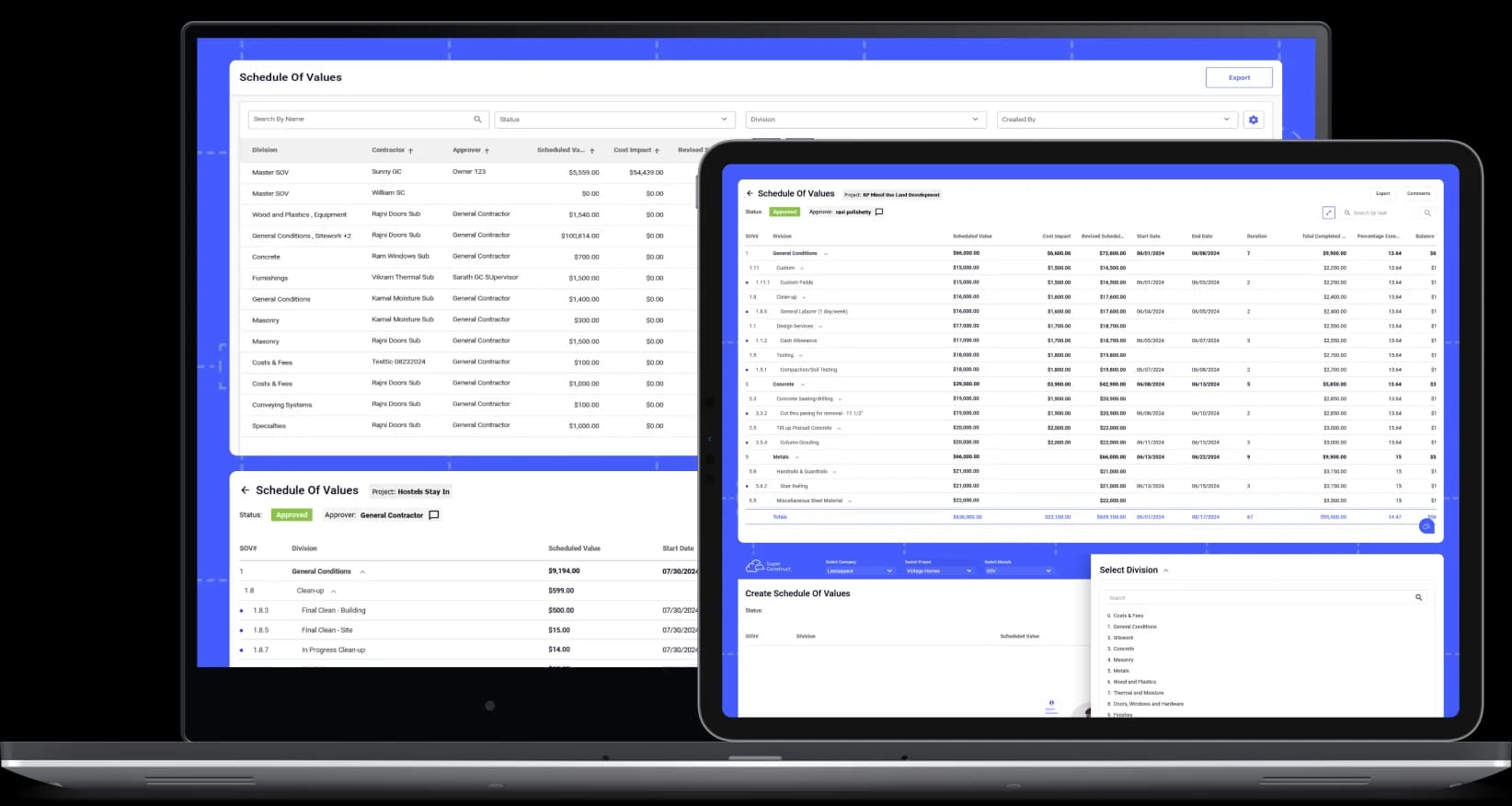
With SuperConstruct's Change Order (CO) tool, contractors can request SOV changes in a few steps which can be approved, rejected, or unlocked with in-app comments by Approvers. Upon approval, Change Order is auto-generated and triggered for e-signature. Once signed, the change is auto-updated in Schedule of Values as a Cost Impact for seamless accuracy.
- Raise Positive or Negative Change Requests: Easily create reusable custom divisions, sub-divisions, and tasks, and submit for approval in minutes.
- Centralized Change Order Management: Easily manage all Change Orders in one place with real-time statuses such as Approved, Unlocked, Rejected, Signed, or Approval Pending.
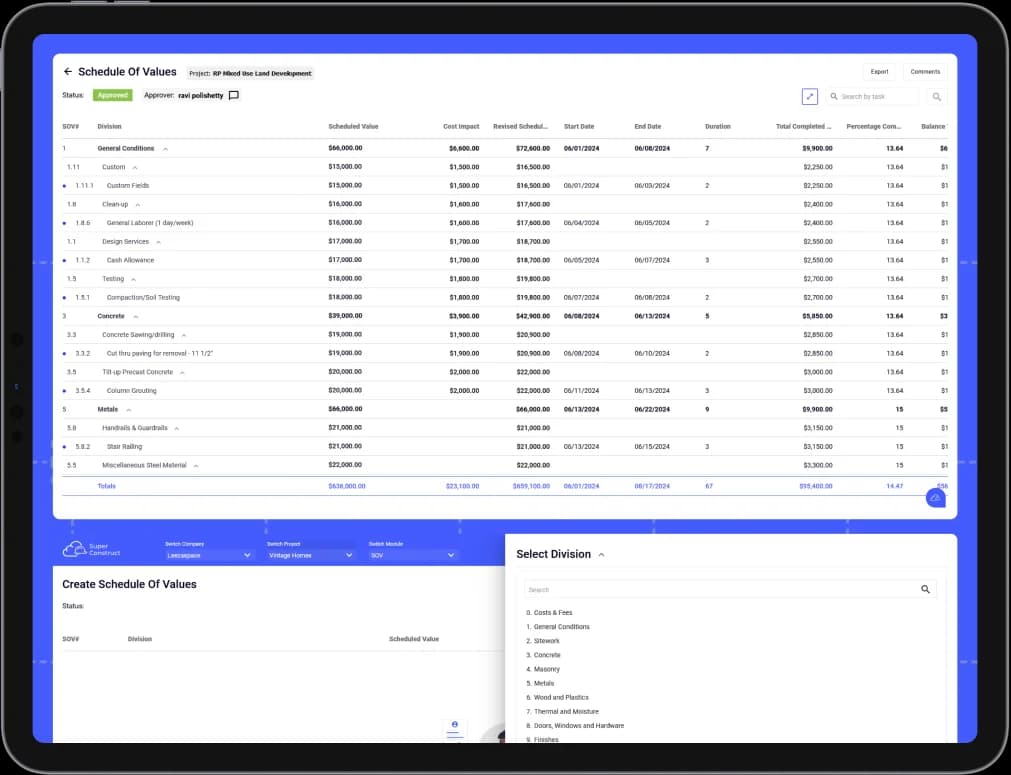
- Integrated with Schedule of Values: Approved Change Orders are automatically updated as Cost Impacts in the SOV, with Revised Values seamlessly reflected to ensure accuracy and prevent tampering.
- Locked Change Order Integrity: Approved and signed Change Orders are final and cannot be reverted. To make adjustments, a negative change request must be raised for the same value.
- In-App Comments & Feedback: Easily coordinate changes with stakeholders using in-app comments, keeping all Change Order related discussions centralized and organized.
- Seamless Approval Workflow: Effortlessly approve, unlock for changes and resubmission, or reject Change Orders with in-app comments, streamlining and centralizing communication.
- Reminders and Notifications: Stay on schedule with automatic email reminders and in-app notifications, ensuring contractors complete approvals, signatures, and changes on time.
- Auto-Calculate for Accuracy: SuperConstruct automatically calculates totals from line item values and durations based on start and end dates, ensuring SOVs are always precise and reliable.
- Avoid Overbilling and Math Errors: SOVs are seamlessly integrated with Pay Apps, ensuring contractors use approved values, eliminating overbilling and calculation errors.
- Export Change Orders: Export Change Orders for external collaboration.
- Raise Change Request in Minutes: Contractors can swiftly add divisions, update costs and durations, and submit Change Requests for review, saving time and ensuring accuracy.
- Electronic Signatures: Auto-trigger generated Change Orders for e-signatures to both parties in seconds, complete with timestamps and unique identification.
- Attach RFI & Previous Change Request References: Options to attach references of existing RFIs or previously raised Change Requests to add context if required.
- Add Descriptions and Attachments: Include subject, detailed descriptions, and attachments with your Change Requests for clarity, detailed context, and completeness.
- Out of Scope and In-Scope Changes: Raise In-Scope Changes for existing Divisions/Sub-Divisions from SOV and Out-of-Scope Changes by adding new Divisions/Sub-Divisions.
- Create RFIs on Change Requests: Create RFIs on Change Requests right from the Change Request tool.
- Auto-Save and Organize: SuperConstruct automatically saves and organizes all signed Change Orders, ensuring no critical documents are ever missed or lost.
Who We Serve
Built by Contractors for:
SuperConstruct makes it seamless by bringing all stakeholders into a common platform bringing in transparency and accountability to the construction project and payment process.
SuperConstruct makes it seamless by bringing all stakeholders into a common platform, bringing transparency and accountability to the entire construction management process.