How Developers Manage Multiple Projects With Construction Management Software
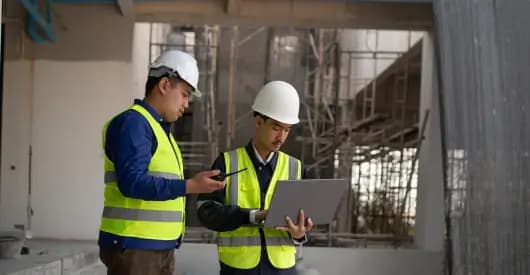
How Developers Manage Multiple Projects With Construction Management Software
As a real estate developer, growth is a double-edged sword. On one hand, securing multiple concurrent projects means your business is thriving.
On the other hand, it means you are suddenly juggling zoning permits in one district, dealing with a concrete shortage on another site, and trying to review a stack of change orders for a third, all before lunch.
When you are managing a single build, you can rely on grit, frequent site visits, and a massive spreadsheet.
But when you scale to multiple projects, that fragmented approach breaks down.
For example, communication gaps widen, data silos form, and a single blind spot can cause cost overruns that bleed into your other investments.
According to research, a breakdown in communication and mismanaged expectations is the single most common cause of construction issues, largely because large-scale builds involve hundreds of disconnected stakeholders who were never privy to initial planning discussions.
Furthermore, a study in Frontiers in the Built Environment notes that traditional, non-digital oversight frequently leads to lost productivity due to growing project complexity.
To stay profitable while scaling, developers must trade fragmented spreadsheets for centralized command centers. Enter Construction Management Software (CMS).
Here is a deep dive into how modern developers are using digital platforms like SuperConstruct to regain control, protect their margins, and manage multiple projects simultaneously without losing their minds.
1. The Multi-Project Nightmare: Why Traditional Methods Fail
Before looking at the solution, let's acknowledge why managing multiple sites is uniquely brutal for developers compared to general contractors.
Contractors focus on execution; developers handle everything from land acquisition and capitalization to investor relations, compliance, and final delivery.
When you scale manually, you encounter three major operational bottlenecks:
- The Aggregated Data Delay: If it takes your team three days to compile progress reports from three different jobsites, you are always steering your business using a rearview mirror
- Resource Friction: Equipment, specialized labor, and capital are finite. Without cross-project visibility, you might accidentally schedule the same critical subcontractor or heavy machinery on two different sites at the same time.
- The Change Order Avalanche: When you are buried in paperwork across multiple builds, unauthorized or unreviewed change orders slip through, quietly eating away at your contingency funds.
This is exactly where a multi-tenant, developer-first platform like SuperConstruct steps in, transforming chaotic workflows into streamlined, automated processes.
You can also read: Construction Project Management: Manual Workflow vs. SuperConstruct.
2. Centralized Dashboards: The "Single Source of Truth"
The primary way construction management software saves developers from operational chaos is through centralized, cloud-based dashboards.
Instead of opening five different files or calling three separate superintendents, a developer can look at a single screen to assess the health of their entire portfolio.
Modern platforms integrate real-time data collection, analytics, and control mechanisms to provide stakeholders with immediate information regarding risk and resource utilization.
Portfolio vs. Project Views
A robust CMS allows you to toggle between a macro portfolio view (ideal for tracking total capital expenditure and overarching milestones for investors) and a micro project view (to inspect daily logs, weather delays, or specific RFI statuses on an individual asset).
With SuperConstruct, your macro-to-micro view takes exactly two clicks, giving you instant command over your entire investment pipeline.
Data-Driven Decision Making
Because all data flows into one hub, the software acts as an early warning system.
If Project A is tracking 10% over budget on structural steel, you see it instantly, allowing you to adjust your financial forecasting or negotiate bulk material rates for Projects B and C before making commitments.
You can also read: How SuperConstruct Streamlines Contractor and Subcontractor Management.
3. Optimizing Resources and Schedules Across the Portfolio
When you run multiple projects, timelines do not exist in a vacuum.
A delay in the grading phase in your suburban residential build can cause a domino effect that delays the foundation pour on your downtown commercial site if they share the same subcontracting crew.
CMS platforms solve this by utilizing advanced scheduling tools like Gantt charts, S-curves, and the Critical Path Method (CPM) to plot out dependencies across your entire pipeline.
| Feature | What It Tracks | Multi-Project Benefit with SuperConstruct |
|---|---|---|
| Cross-Project Gantt Charts | Timeline bars across all active jobsites. | Visually identifies timeline overlaps and prevents scheduling conflicts before they happen. |
| Critical Path Method (CPM) | The fastest, non-negotiable sequence of core tasks. | Helps developers know exactly which project delays require immediate intervention and which ones have buffer room. |
| Dynamic Resource Allocation | Tracking of labor, machinery, and material delivery schedules. | Integrates machine learning frameworks to predict resource demands and optimize distribution across various sites. |
By leveraging integrated scheduling, developers can predict task durations, identify supply bottlenecks, and dynamically adjust timelines across the board, eliminating the human error associated with manual scheduling.
You can also read: How SuperConstruct Boosts Productivity on Construction Sites.
4. Bridging the Communication Gap: Field to Office, Site to Site
As a developer, you cannot be in three places at once.
If a field engineer discovers an undocumented utility line on Site B, they need a mechanism to report it, document it, and get an executive decision instantly.
A breakdown in data transmission creates massive financial risk.
Systematic construction document management via a CMS "provides clarity" that eliminates these errors by connecting the architect, the developer, and the field crew instantly.
Mobile Document Control
With cloud-based apps, field teams can snap a photo of a site constraint, tie it directly to the digital blueprint, and generate a Request for Information (RFI).
The developer receives a push notification on their phone via the SuperConstruct Mobile App, reviews the financial impact, and signs off on the solution within minutes.
API Integration
Furthermore, developers are no longer forced to use isolated, rigid software.
Modern cloud platforms utilize Application Programming Interfaces (APIs) to seamlessly connect field tracking apps with complex scheduling tools like Primavera P6 or internal accounting systems.
Empirical software studies have shown that adopting cloud platforms with strong API integrations can improve data accuracy and reduce project completion times by an average of 20%.
SuperConstruct’s open API ecosystem ensures that your existing tech stack syncs perfectly without losing historical data.
You can also read: Why Construction Projects Fail Without Centralized Systems?
5. Protecting Your Bottom Line: Financial Oversight Across Projects
At the end of the day, a developer's primary metric of success is ROI.
When managing a multi-project pipeline, keeping an eye on your cash flow across different funding sources, construction loans, and investor pools is incredibly complex.
Construction management software shields your bottom line through automated financial tracking:
- Unit Price and Cost Budgeting: Advanced systems accommodate unit price analysis for highly granular cost budgeting. If concrete prices spike regionally, SuperConstruct flags the variance across all projects using that specific material asset.
- Automated Progress Billings: Instead of manually verifying invoices against completed work across multiple sites, a CMS allows contractors to submit construction pay applications. The software cross-references the invoice with verified field logs and daily reports, ensuring you only pay for work that has actually been completed.
- Proactive Risk Mitigation: Implementing real-time digital monitoring and lean process optimization tools has been shown to decrease phase durations, like excavations, by up to 15%, minimizing costly approval delays and bringing unparalleled transparency to progress monitoring.
You can also read: The Future of Construction Finance: Top Trends in 2026.
Why Elite Developers Choose SuperConstruct
When evaluating a CMS platform to manage your portfolio, general contractor tools often miss the mark because they focus entirely on the field, not the asset ledger.
SuperConstruct was custom-built to bridge the gap between field execution, project management, and developer-level financial oversight.
Here is how SuperConstruct helps you master multi-project development:
- True Multi-Tenant Portfolio Views: Switch between different corporate entities, joint ventures, and funding pipelines under a single, highly secure master account.
- Flawless Financial & ERP Sync: SuperConstruct integrates directly with top accounting software (e.g., Sage, QuickBooks, and leading ERPs) to eliminate double data entry and financial data lag.
- Unrivalled Offline Field Usability: Designed for the real world, SuperConstruct’s mobile interface works seamlessly offline on rainy, remote jobsites, syncing automatically the second your crew hits Wi-Fi.
- Audit-Ready Compliance Hub: Maintain an absolute, unalterable digital paper trail of every change order, RFI, signed contract, and site photo, keeping your legal, banking, and investor teams perfectly aligned (Aziz & Ghuzdewan, 2023).
You can also read: How SuperConstruct Streamlines Contractor and Subcontractor Management.
Conclusion: Scale Safely, Build Smarter
Managing multiple construction projects will always be a high-stakes, high-stress endeavour. However, it does not have to be a chaotic guessing game.
By upgrading from scattered spreadsheets and fragmented emails to SuperConstruct, you replace chaos with absolute operational clarity.
You gain the ability to spot budget variances before they turn into deficits, optimise your workforce across multiple active jobsites, and establish a bulletproof line of communication from the field straight to your investor boardrooms.
In a modern real estate market where margins are razor-thin and supply chains are unpredictable, digitalisation isn't just an operational luxury anymore; it is your most significant competitive advantage.
Ready to Eliminate the Chaos from Your Multi-Project Pipeline?
Stop letting fragmented data and miscommunication quietly chip away at your project margins.
Discover how SuperConstruct can give you total, real-time visibility over your entire portfolio from a single dashboard.
Book a demo today and see how elite developers scale their operations with confidence.