9 Ways to Monitor a Construction Project Remotely
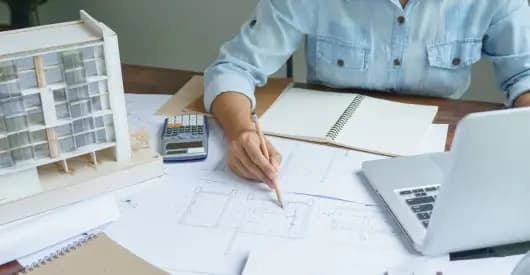
Monitoring a construction project is rarely straightforward.
Frequent site visits can be time-consuming, progress reports often arrive late, and even small delays can quickly snowball into major setbacks.
For many project managers and contractors, staying updated on what’s happening across multiple sites is a constant challenge.
That’s where remote construction monitoring comes in!
By using digital tools such as construction management software, real-time progress tracking systems, and cloud-based communication platforms, teams can now monitor on-site activities, track project performance, and share updates, all without being physically present.
In this blog, we’ll explore what remote project monitoring means, why it’s becoming essential in today’s construction industry, and how it helps teams build smarter, safer, and more efficiently, no matter where they are.
Benefits of Remote Construction Monitoring
Remote monitoring makes managing projects easier and keeps everyone aligned.
You get real-time updates without having to step on-site. That means faster decisions, less travel, and smoother coordination.
Also, it builds transparency because everyone can see clear progress data anytime.
Key benefits include:
- Real-time updates without being on-site.
- Lower travel costs and faster approvals.
- Improved safety and risk visibility.
- Centralized access to documents and data.
Remote vs. On-Site Monitoring at a Glance
| Aspect | On-Site Monitoring | Remote Monitoring |
| Data Access | Collected manually, shared later | Available instantly via cloud tools |
| Decision-Making | Slower, depends on visits | Real-time using live data |
| Safety Checks | Done during inspections | Continuous via sensors and cameras |
| Communication | In-person meetings and calls | Digital updates and collaboration |
| Reporting | Manual spreadsheets | Auto-generated reports |
| Time & Cost | More travel and coordination | Reduced effort, faster results |
Remote monitoring gives you visibility, faster responses, and full control over every phase of construction.
Now, here are the ways to monitor a construction project remotely.
1. Build a Connected Data Environment
A connected data environment brings all your project info into one secure place.
Instead of juggling files or long email threads, everyone from contractors to owners can access the same cloud system.
Schedules, drawings, and reports stay updated and organized. When everyone works from the same data, it’s easier to track progress, share updates, and avoid confusion.
Benefits of a connected setup:
- Faster coordination between teams
- Fewer manual errors or missing files
- Smarter, data-based decisions that keep projects on track
2. Use Drones and 3D Mapping for Site Visibility
Drones are one of the simplest ways to see what’s happening on-site. They capture high-quality photos and videos that give managers a complete view, no travel required.
Drone images can be turned into 3D models using special software. These let you compare planned work with what’s actually built. You can measure areas, check accuracy, and spot mistakes early.
By using drones and 3D mapping, teams save time, reduce visits, and make faster, more accurate calls.
3. Add Smart Sensors and IoT Devices
Smart sensors and IoT (Internet of Things) devices track site activity in real time.
They monitor equipment use, temperature, humidity, or movement and send updates straight to a central dashboard.
If a machine overheats or a hazard appears, you get an instant alert. Teams can fix issues right away and prevent accidents.
With IoT tools, sites stay safer, smarter, and easier to manage remotely.
4. Apply Data Analytics for Real-Time Insights
Data analytics turns project information into easy visuals and trends.
It gathers data from reports, sensors, and daily logs so you can spot delays, cost overruns, or idle equipment before they escalate.
With clear data, you can plan smarter schedules, use resources efficiently, and keep every phase on track.
Also, analytics keeps decisions factual, not guesswork, so projects stay on time and within budget.
5. Create Digital Twins and Dashboards
A digital twin is a live virtual version of your construction site. It uses real-time data from drones, sensors, and project tools to show exactly what’s happening.
You can explore the model, zoom in, and monitor updates from your desk.
When everyone uses the same live model, it removes confusion and keeps communication clear.
Moreover, owners, contractors, and engineers can review changes or solve issues together — leading to faster, smarter decisions.
6. Strengthen Collaboration and Approvals
With remote work tools, tracking RFIs, documents, or pay applications is simple. Everything lives in one shared platform, so you don’t have to wait for emails or meetings.
Team members can leave notes, upload files, and check the latest versions anytime. Digital signatures also make approvals faster — no printing or scanning required.
Outcome: When all reviews happen in one place, decisions move quickly, communication stays transparent, and every step is documented.
7. Automate Reporting and Communication
Modern tools can generate reports automatically.
They pull project data like progress, cost, and payments into easy summaries — no manual spreadsheets.
With one click, you can share these reports with clients, contractors, or team members.
Everyone gets the same clear update instantly. It saves hours, avoids mistakes, and keeps everyone aligned.
8. Enhance Safety and Security with Smart Tech
New tech keeps job sites safer and more secure. CCTV cameras and drones monitor large areas and spot issues early.
Geofencing alerts you when someone enters a restricted zone. AI tools can even detect risks or theft by analyzing live video feeds.
Paired with IoT sensors, these systems send instant alerts about fire risks or faulty equipment.
Together, they prevent accidents, protect assets, and keep workers safe — even when managers are off-site.
9. Sustainability and Reduced Carbon Footprint
Remote monitoring helps make construction greener. Fewer site visits mean less travel and fuel use. Going digital cuts down on printed drawings and paper reports.
By storing and sharing files online, teams save time, resources, and reduce waste, all while lowering carbon emissions.
Final Takeaway
Remote construction monitoring helps teams track progress, stay safe, and manage costs with ease. It also makes teamwork faster and more transparent.
With SuperConstruct, managers can monitor updates, manage documents, and approve tasks all in one place. It simplifies every stage of your construction project.
👉 Visit SuperConstruct to schedule a personalized demo. Sign up now and get a 90-day free trial, no commitment needed.
Frequently Asked Questions (FAQ)
Q. What tools help monitor construction projects remotely?
Teams use tools like construction project management software, drones, and IoT sensors to track progress, safety, and payments in real time.
Q. Can small contractors afford remote monitoring software?
Yes. Platforms like SuperConstruct offer flexible plans that fit small and mid-size contractors while saving time and cutting manual work.
Q. How do drones and sensors improve site tracking?
Drones capture live images, and sensors send instant data on site conditions. Together, they help teams spot issues early and take quick action.
Q. Is cloud-based project data secure?
Absolutely. Most platforms use encrypted storage and secure logins to keep all project files safe and private.