


How SuperConstruct Tracks Construction Project Progress
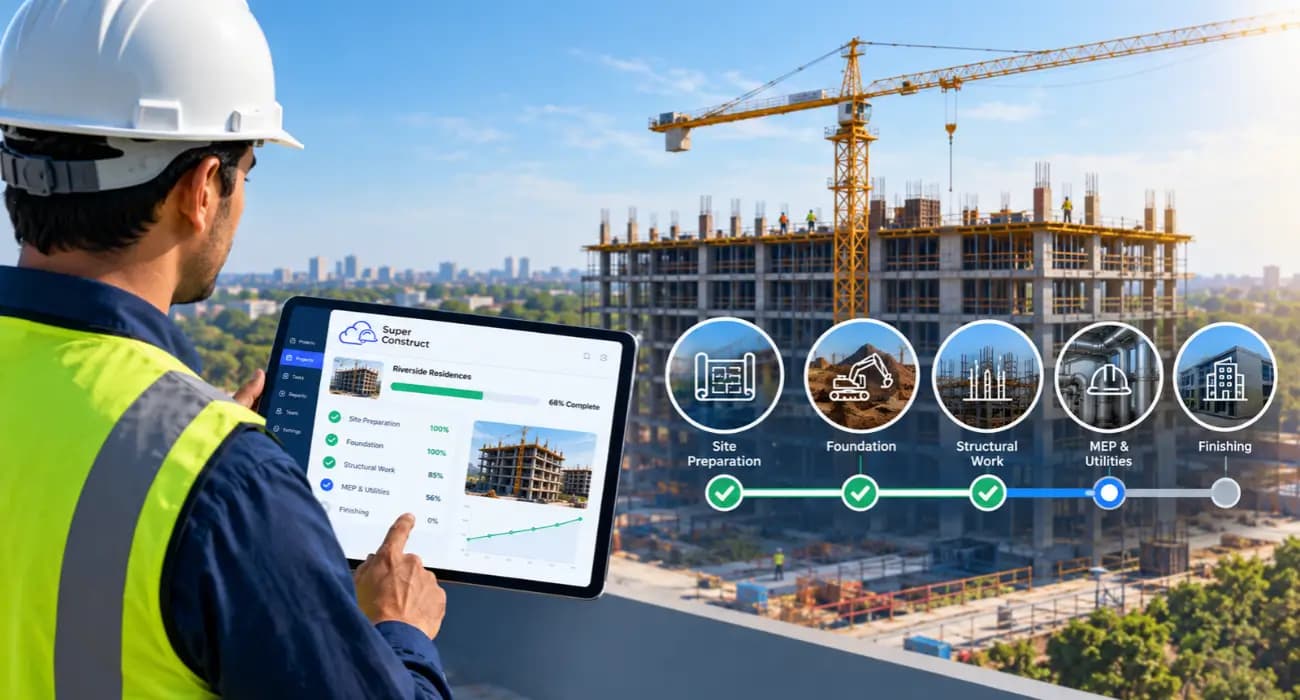
Every project looks on track in the Monday meeting.
Then the questions start. Is the drywall crew really 60% done, or did someone round up? Why does the budget show plenty of room when the concrete invoices say otherwise? Who was supposed to answer that RFI the electrician sent two weeks ago?
Most of the time, nobody is hiding anything. The information exists. It's just spread across a superintendent's phone, a PM's spreadsheet, the accountant's system, and a few email threads.
That gap between the field and the office is an old problem. McKinsey found that large projects typically take 20% longer than scheduled and run up to 80% over budget, and pointed to project planning that stays uncoordinated between the office and the field, often on paper.
This guide explains how SuperConstruct helps you track construction project progress, issues, labor, and costs in one place, so the Monday meeting matches what is actually happening on site.
Why Construction Project Tracking Breaks Down
Tracking fails for a simple reason: the people who know what's happening are not the people updating the reports.
Supers know the real progress, but they are busy running the site. PMs and accountants own the reports, but they rely on whatever reaches them, often days later.
The cost of chasing that information adds up. A PlanGrid and FMI survey of nearly 600 construction leaders found that team members spend about 5.5 hours a week just looking for project data and information.
More recent figures point the same way. In Quickbase's 2025 Gray Work Report, construction teams said they lose more than 11 hours a week tracking down updates.
You can also read: 8 Ways Digital Project Tracking Eliminates Construction Delays
What Good Construction Project Tracking Covers
Real construction project tracking means watching four things together:
- Progress. What work is done, against the schedule and the schedule of values.
- Issues. Open RFIs, failed inspections, and anything blocking the next phase.
- Labor. Who was on site, which trades, and how much work they produced.
- Costs. Budget, committed, and actual spend, including change orders.
When these live in separate tools, each one tells part of the story. When they are connected, a slow week in the field shows up in the budget the same day.
How SuperConstruct Helps You Track Construction Project Progress
1. A Schedule That Reflects the Field
SuperConstruct's Gantt scheduling lets you lay out phases and milestones, then compare planned dates with actual progress.
When a phase slips, you see it on the schedule, not in a phone call two weeks later.
2. Daily Logs from the Job Site
Your superintendent fills in construction daily logs from a phone, with work completed, weather, crews on site, and photos. It takes a few minutes, and the office sees it the same day.
Those logs become a dated record of what happened on site. That record is useful well beyond tracking, especially if a delay claim or dispute comes up later.
3. Track Construction Project Issues Online
Issues stall projects when nobody owns them. In SuperConstruct, RFIs, submittals, and inspections each have an owner, a due date, and a status, so you can track construction project issues online instead of digging through email.
Catching issues early matters. PlanGrid and FMI found that poor project data and miscommunication were behind 48% of rework in the U.S., about $31.3 billion a year.
4. Track Construction Project Labor
Labor is one of the hardest things to track and one of the most expensive to get wrong.
Daily logs capture which trades and how many workers were on site each day, so you can compare manpower with actual progress.
That visibility matters more as crews get harder to find.
Associated Builders and Contractors estimates the industry must attract about 349,000 net new workers in 2026, and its chief economist warned that shortages will keep pushing labor costs up.
When each crew costs more, knowing how productive it was each day is worth a lot.
You can also read: 10 Leading Construction Expense Management Software.
5. Track Construction Project Costs in Real Time
Everything starts with the schedule of values.
SuperConstruct tracks estimated, budgeted, contracted, and actual costs for each line item, and approved change orders automatically update the contract value.
So when you track construction project costs, you see live numbers, not last month's spreadsheet. Overruns surface while you can still do something about them.
Data quality is the difference. In a study of more than 3,900 professionals, respondents with formal strategies for managing project data reported fewer delays, less rework, and fewer change orders.
You can also read: How SuperConstruct Helps Construction Teams Stay on Schedule and Budget
6. Pay Applications Tied to Real Progress
Percent complete on a pay app should match what is actually built.
Because SuperConstruct builds AIA G702/G703 pay applications from the same schedule of values the field updates, billing reflects real progress.
Owners and lenders get fewer surprises, and you get fewer rejected pay apps.
You can also read: Construction Payment Applications 101: Your Guide to Pay App Software
7. AI That Watches the Site and Answers Questions
SuperConstruct's AI video analytics connect to site cameras and flag safety events like fire, a worker down, or people too close to machinery.
And the AI Copilot answers questions like "which RFIs are overdue on the Level 2 framing?" in plain English, with citations.
Contractors who have tried AI tools for this kind of work report strong results.
In a Dodge Construction Network and CMiC study, early adopters rated progress tracking from site photos 92% effective compared with their previous methods.
8. One View for Everyone
Because pricing is per project with unlimited users, you can give owners' reps, subs, and lenders access to the parts they need.
Fewer status emails, and everyone works from the same numbers.
What a Week of Construction Project Tracking Looks Like
Here's how this plays out on a typical mid-size commercial job.
- Monday. The PM opens the project dashboard instead of calling the site. Framing on Level 2 is two days behind schedule, and the daily logs show the crew was short three carpenters last week.
- Tuesday. The super flags a conflict between the ductwork and a beam. An RFI goes to the architect with photos attached and a due date, and everyone can see it's open.
- Wednesday. The owner approves a change order for upgraded lobby finishes. The contract value and budget update, and the affected sub's commitment is adjusted.
- Thursday. Concrete invoices come in higher than budgeted. The cost report shows the overrun on that line right away, so the PM can talk to the supplier before the next pour.
- Friday. Instead of a weekly report that takes half a day to assemble, the PM asks the AI Copilot for a summary of progress, open issues, and cost changes, then reviews and sends it.
None of this requires anyone to chase updates. The information is captured once, where the work happens, and everyone sees the same version.
Benefits of Tracking Projects in an All-in-One Construction Management Platform
- Earlier warnings. Slipping phases, open issues, and cost overruns show up while there's still time to fix them.
- Less time chasing updates. Field data flows to the office automatically instead of through calls and texts.
- Billing you can defend. Pay apps match documented progress, which speeds up approvals.
- A clean record. Logs, photos, and approvals are stored together if a dispute ever comes up.
Getting Started with Construction Project Tracking
Start with one active project. Load the schedule of values and budget, then get your superintendent filling in daily logs from the first week.
Move open RFIs and inspections into the system next, so issues have one home.
After one full billing cycle, compare how long reporting and pay apps took against your old process. Then roll it out to the rest of your projects.
Frequently Asked Questions
1. How do I track construction project progress?
Compare completed work against your schedule and schedule of values, using daily field updates. Construction project tracking software connects those updates to your budget and billing automatically.
2. What is the best way to track construction project issues online?
Give every RFI, submittal, and inspection an owner, a due date, and a status in one shared system, so nothing gets lost in email.
3. How can I track construction project labor?
Record crews and headcount by trade in daily logs, then compare manpower against the progress completed each day.
4. How do I track construction project costs in real time?
Track estimated, budgeted, committed, and actual costs against each schedule of values line, and update the contract automatically when change orders are approved.
5. Does SuperConstruct work for small construction companies?
Yes. Pricing is per project with unlimited users, so smaller teams can bring in their subs and owners without paying per seat.