SuperConstruct — AI construction management software logo

Features

  • AI Assistant
  • Manage Schedule of Values (SOV)
  • Construction Change Order Tracking
  • Daily Logs
  • Request for Information
  • Document Management
  • Inspections
  • Submittals
  • Message Boards
  • User Management
  • Project Dashboards
  • Pay Applications & Reports

New Features

  • Scheduling
  • To-Do
  • Calendar
  • Messaging & Chat
  • Expense Management
  • Pay App Compliance

Company

  • Blogs
  • Privacy-Policy
  • Book a Demo
  • Careers
  • Become a Partner

Integrations

  • Procore
  • QuickBooks
  • ChatGPT

Location

Texas, USA

Customer Support

+1(254)-253-2522
sales@superconstruct.io

Download on the App StoreGet it on Google Play

PROJECT SCHEDULING

Track Your Project Schedule with a Live Gantt

Turn your approved Schedule of Values into a living project timeline. Track planned vs. actual dates, completion percentages, and status across every line item - visualized on a built-in Gantt chart with a full change history.

Start free trial →Request a demo
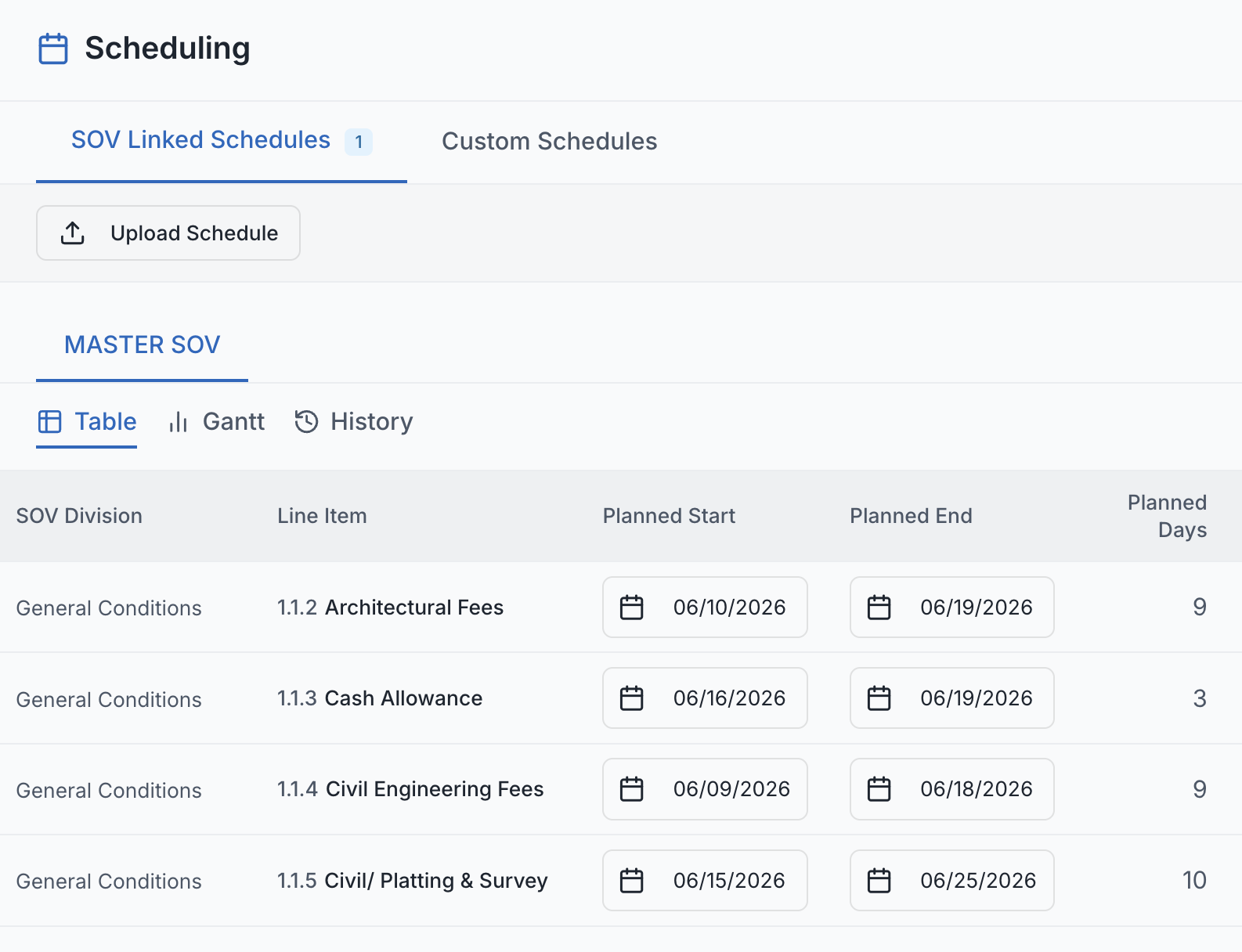
SuperConstruct Scheduling - SOV-driven Gantt chart showing planned vs. actual project dates

Project Scheduling

SuperConstruct Scheduling pulls directly from your approved SOV - every line item becomes a schedule entry you can track with planned and actual start/end dates, completion percentages, and status. The built-in Gantt chart shows planned vs. actual side-by-side with a today marker so delays are obvious the moment they happen, and every change is logged with field-level history.

See SuperConstruct AI in action
  • SOV-Driven Initialization: One click initializes a schedule entry for every approved SOV line item - no rebuild, no spreadsheet, no double-entry.
  • Built-In Gantt Chart: Blue bars show planned dates, orange bars show actuals, and a red today marker flags overdue tasks at a glance.
  • Planned vs. Actual Tracking: Track planned start/end against actual start/end on every line item, so variance is visible without manual reporting.
  • Inline Editing: Edit dates, status, and completion percentages directly in the entry table - no separate update screens.
  • Status Control: Mark line items Not Started, In Progress, Completed, or Delayed - manually, so your team controls how progress is reported.
  • Sticky Line Items: SOV task names stay fixed on the left while the timeline scrolls horizontally, even on long multi-month projects.
  • Change Notes Required: Every save requires a brief change note - a clear, defensible record of why the schedule was updated.
  • Full Change History: Every modification is logged with the user, timestamp, change note, and field-level old/new diffs.
  • Owner & Lender Visibility: Owners and developers see the full Gantt and history in read-only mode - no chasing for status updates.
  • Subcontractor Scope: Subs see only the schedule entries linked to their scope, keeping shared data clean and role-appropriate.
  • Future-Date Protection: Actual dates cannot be set in the future, preventing accidental data corruption from forward-dated entries.
  • Track Project Progress: Monitor overall completion percentages and project status directly from the schedule for real-time stakeholder updates.
  • WhatsApp
  • +1(254)-253-2522
  • Login
  • Register
SuperConstruct — AI construction management software logo

Payment Management

  • AIA Style Progress Invoicing
  • Lien Waivers Management
  • Electronic Payments
  • Pay App Reports

Integrations

  • Procore
  • QuickBooks
  • ChatGPT

AI

  • AI Assistant

Project Management

  • Schedule of Values
  • Change Orders
  • Daily Logs
  • Request for Information
  • Document Management
  • Inspections
  • Submittals
  • User Management
  • Message Boards
  • Project Dashboards

New Features

  • Scheduling
  • To-Do
  • Calendar
  • Messaging & Chat
  • Expense Management
  • Pay App Compliance
  • General Contractor
  • Project Manager
  • Sub-Contractor
  • Owner / Developers
  • Accounting Teams
  • Cities & Municipalities
Resources
  • Blog
  • Case Studies
  • Careers
  • Become a Partner
  • Cost-Benefit Calculator
  • User Guides
  • Pain Points
About UsPricing
Request a Demo
Menu
About UsPricing
Request a DemoLogin
🇺🇸 English🇲🇽 Español

Trusted by cities, general contractors, and developers across the United States, including municipal Capital Improvement Programs.

City of Anna — SuperConstruct construction management customer
Jaramillos — SuperConstruct construction management customer
Misha's Construction — SuperConstruct construction management customer
Alphine — SuperConstruct construction management customer
City of Celina — SuperConstruct construction management customer
CLBA — SuperConstruct construction management customer
The Bays — SuperConstruct construction management customer
TX Sparks Luxury Homes — SuperConstruct construction management customer
Riviera — SuperConstruct construction management customer
Shepherds Place — SuperConstruct construction management customer
Leez A Space — SuperConstruct construction management customer
TX Sparks Constructions — SuperConstruct construction management customer

Who we serve

From City Hall to the job site - one AI-powered platform for every role.

Cities, Counties & Municipalities

Public Works · CIP · Engineering

Run capital improvement programs end-to-end with audit-ready transparency, automated draws, and contractor accountability.

Explore the municipal solution →

General Contractors

GCs · Project Managers · Superintendents

Manage every project from notice-to-proceed through closeout. Bill on time, track field work, and protect every dollar with automated lien waivers.

See the GC solution →

Voices from the field

Voices from the Field

Real stories from cities, contractors, developers, and lenders building with SuperConstruct.

“SuperConstruct significantly reduced our time on administration so we could focus on expansion. Every activity is now at our fingertips.”

Developer Impact with SuperConstruct

Developer

Case Study | Melissa, TX
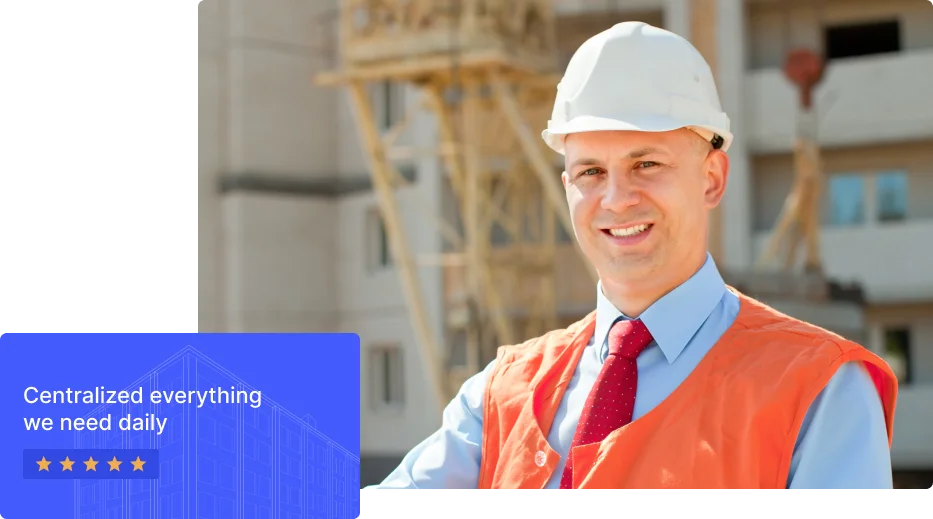
SuperConstruct Developer Case Study

“We've never seen a field report this detailed in our past experience. It made evaluation straightforward and gave us confidence in the project team.”

Lender Visibility & Confidence with SuperConstruct

Lender

Case Study | North Dallas

SuperConstruct Lender Case Study

“The audit trail and automated draws give our public-works team the transparency our residents expect.”

CIP Transparency with SuperConstruct

Municipal CIP Director

North Texas

SuperConstruct Municipal CIP Case Study

Centralized everything
we need daily

Your job site, in your pocket.

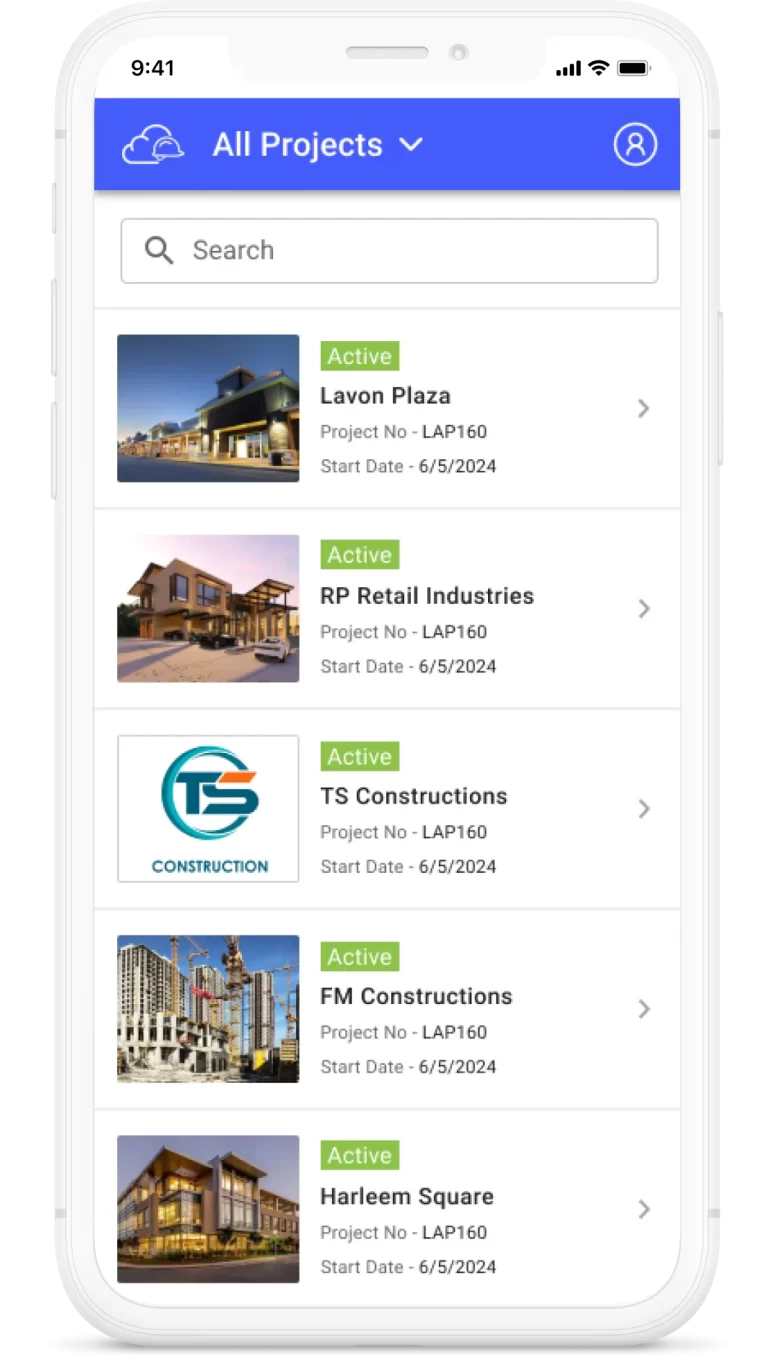
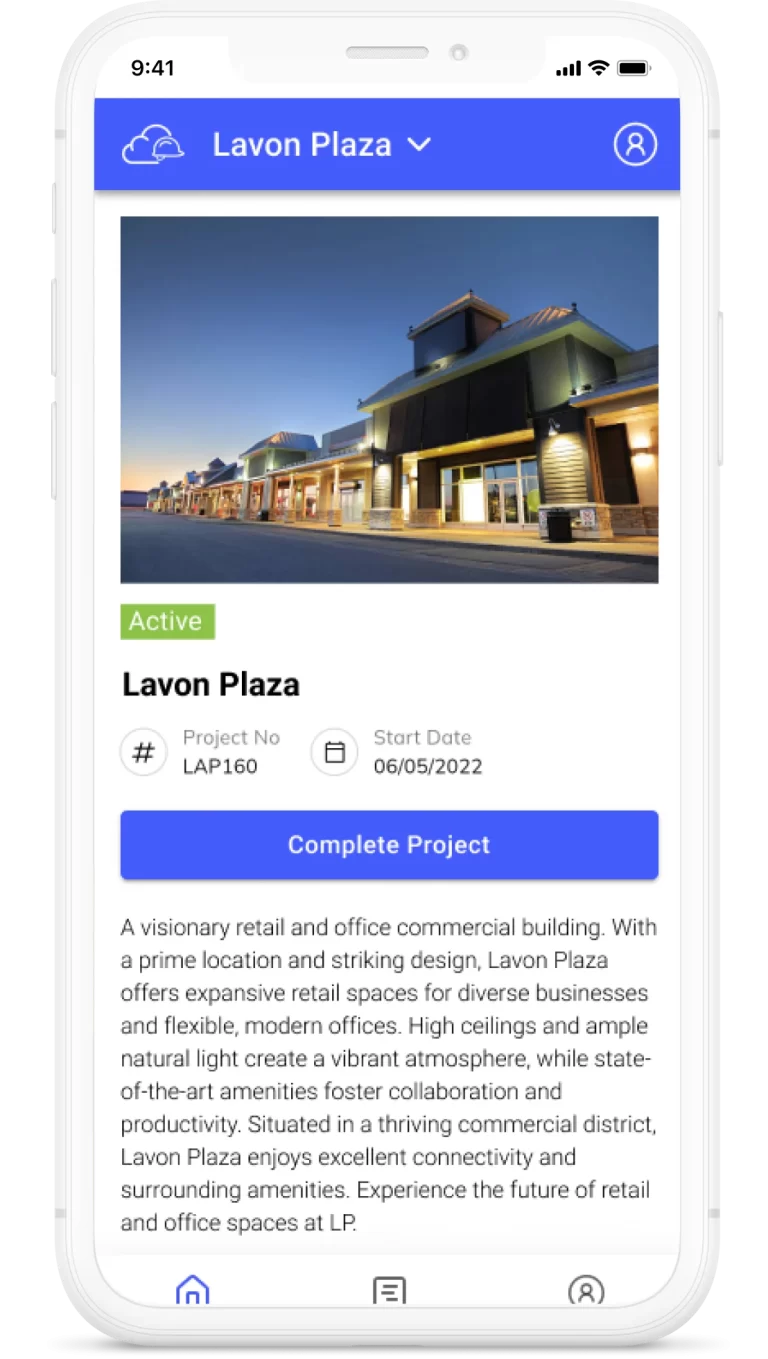
Capture daily logs, run inspections, approve change orders, chat with your team, and ask SuperConstruct AI anything - from iOS, Android, or any web browser. The whole platform travels.


Download SuperConstruct AI construction app on the Apple App StoreGet the SuperConstruct AI construction app on Google Play
SuperConstruct iOS and Android app - construction project management on mobile

Get in touch

Talk to a SuperConstruct Construction Specialist.

Tell us about your projects and we'll show you how SuperConstruct can automate pay applications, lien waivers, scheduling, and compliance - typically saving teams 30–40% of manual work.

Developers & Owners

Owner-Developers · Real Estate

Oversee land development and GC performance with live visibility into budgets, schedule variance, draws, and lien risk - without chasing emails.

See the developer solution →

Construction Teams

Accounting · Finance · Field · Subs

Cut 30–40% of manual work. From daily logs in the field to ACH payments in finance - every team works in the same system with the same data.

Built for every team →
Also built for Architects & Engineers (submittals, RFIs), Subcontractors (trade billing, compliance), and Lenders & Inspectors (draw approvals, progress monitoring).