Cómo SuperConstruct monitorea el avance de proyectos de construcción
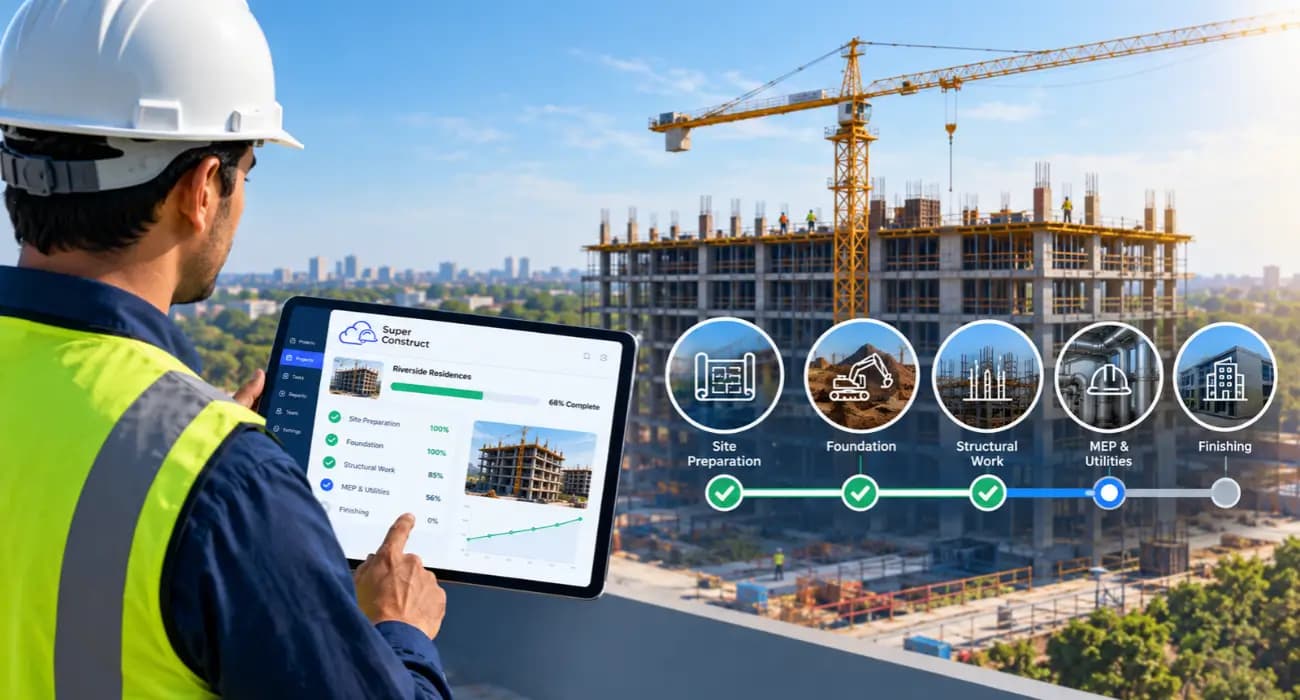
Todos los proyectos parecen ir por buen camino en la reunión del lunes.
Entonces empiezan las preguntas. ¿La cuadrilla de drywall realmente va al 60%, o alguien redondeó hacia arriba? ¿Por qué el presupuesto muestra tanto margen cuando las facturas del concreto dicen lo contrario? ¿Quién debía responder ese RFI que el electricista envió hace dos semanas?
La mayoría de las veces, nadie está ocultando nada. La información existe. Simplemente está dispersa entre el teléfono de un superintendente, la hoja de cálculo de un gerente de proyecto, el sistema del contador y unos cuantos hilos de correo electrónico.
Esa brecha entre el campo y la oficina es un problema de larga data. McKinsey encontró que los proyectos grandes suelen tardar un 20% más de lo programado y exceden el presupuesto hasta en un 80%, y señaló que la planificación de los proyectos sigue sin coordinarse entre la oficina y el campo, a menudo en papel.
Esta guía explica cómo SuperConstruct le ayuda a dar seguimiento al avance, los problemas, la mano de obra y los costos de un proyecto de construcción en un solo lugar, para que la reunión del lunes coincida con lo que realmente sucede en la obra.
Por qué falla el seguimiento de proyectos de construcción
El seguimiento falla por una razón sencilla: las personas que saben lo que está pasando no son las que actualizan los informes.
Los superintendentes conocen el avance real, pero están ocupados dirigiendo la obra. Los gerentes de proyecto y los contadores son los responsables de los informes, pero dependen de lo que les llega, a menudo días después.
El costo de perseguir esa información se acumula. Una encuesta de PlanGrid y FMI a casi 600 líderes de la construcción encontró que los miembros del equipo dedican unas 5.5 horas a la semana solo a buscar datos e información del proyecto.
Las cifras más recientes apuntan en el mismo sentido. En el Informe Gray Work 2025 de Quickbase, los equipos de construcción dijeron que pierden más de 11 horas a la semana tratando de localizar actualizaciones.
También puede leer: 8 formas en que el seguimiento digital de proyectos elimina los retrasos de obra
Qué abarca un buen seguimiento de proyectos de construcción
El seguimiento real de un proyecto de construcción implica vigilar cuatro cosas a la vez:
- Avance. Qué trabajo está terminado, frente al cronograma y al Programa de Valores.
- Problemas. RFIs abiertos, inspecciones reprobadas y cualquier cosa que bloquee la siguiente fase.
- Mano de obra. Quién estuvo en la obra, de qué oficios y cuánto trabajo produjeron.
- Costos. Presupuesto, gasto comprometido y gasto real, incluidas las órdenes de cambio.
Cuando estos elementos viven en herramientas separadas, cada una cuenta solo una parte de la historia. Cuando están conectados, una semana lenta en el campo se refleja en el presupuesto ese mismo día.
Cómo SuperConstruct le ayuda a dar seguimiento al avance de proyectos de construcción
1. Un cronograma que refleja la realidad del campo
La programación con diagrama de Gantt de SuperConstruct le permite organizar fases e hitos y luego comparar las fechas planificadas con el avance real.
Cuando una fase se retrasa, usted lo ve en el cronograma, no en una llamada telefónica dos semanas después.
2. Registros diarios desde la obra
Su superintendente completa los registros diarios de construcción desde un teléfono, con el trabajo realizado, el clima, las cuadrillas en la obra y fotos. Toma unos minutos y la oficina lo ve el mismo día.
Esos registros se convierten en una constancia fechada de lo que ocurrió en la obra. Esa constancia es útil mucho más allá del seguimiento, sobre todo si más adelante surge un reclamo por retrasos o una disputa.
3. Dar seguimiento en línea a los problemas del proyecto de construcción
Los problemas paralizan los proyectos cuando nadie se hace cargo de ellos. En SuperConstruct, los RFIs, las presentaciones (submittals) y las inspecciones tienen cada uno un responsable, una fecha de vencimiento y un estado, de modo que puede dar seguimiento en línea a los problemas del proyecto de construcción en lugar de rebuscar entre correos electrónicos.
Detectar los problemas a tiempo es importante. PlanGrid y FMI encontraron que los datos deficientes de los proyectos y la mala comunicación estaban detrás del 48% de los retrabajos en EE. UU., unos $31.3 mil millones al año.
4. Dar seguimiento a la mano de obra del proyecto de construcción
La mano de obra es uno de los aspectos más difíciles de monitorear y uno de los más costosos si se maneja mal.
Los registros diarios capturan qué oficios y cuántos trabajadores estuvieron en la obra cada día, para que pueda comparar el personal con el avance real.
Esa visibilidad importa más a medida que resulta más difícil conseguir cuadrillas.
Associated Builders and Contractors estima que la industria debe atraer unos 349,000 trabajadores nuevos netos en 2026, y su economista jefe advirtió que la escasez seguirá elevando los costos de mano de obra.
Cuando cada cuadrilla cuesta más, saber qué tan productiva fue cada día vale mucho.
También puede leer: Los 10 mejores software de gestión de gastos de construcción.
5. Dar seguimiento a los costos del proyecto de construcción en tiempo real
Todo comienza con el Programa de Valores.
SuperConstruct da seguimiento a los costos estimados, presupuestados, contratados y reales de cada partida, y las órdenes de cambio aprobadas actualizan automáticamente el valor del contrato.
Así, cuando da seguimiento a los costos de un proyecto de construcción, ve cifras en vivo, no la hoja de cálculo del mes pasado. Los sobrecostos salen a la luz cuando todavía puede hacer algo al respecto.
La calidad de los datos marca la diferencia. En un estudio de más de 3,900 profesionales, los encuestados con estrategias formales para gestionar los datos de los proyectos reportaron menos retrasos, menos retrabajos y menos órdenes de cambio.
También puede leer: Cómo SuperConstruct ayuda a los equipos de construcción a cumplir con el cronograma y el presupuesto
6. Aplicaciones de pago vinculadas al avance real
El porcentaje de avance de una aplicación de pago debe coincidir con lo que realmente se ha construido.
Como SuperConstruct genera aplicaciones de pago AIA G702/G703 a partir del mismo Programa de Valores que actualiza el campo, la facturación refleja el avance real.
Los propietarios y los prestamistas se llevan menos sorpresas, y usted recibe menos aplicaciones de pago rechazadas.
También puede leer: Aplicaciones de pago de construcción 101: su guía de software
7. IA que vigila la obra y responde preguntas
El análisis de video con IA de SuperConstruct se conecta a las cámaras de la obra y señala eventos de seguridad como un incendio, un trabajador caído o personas demasiado cerca de la maquinaria.
Y el Copiloto de IA responde preguntas como “¿qué RFIs están vencidos en la estructura (framing) del Nivel 2?” en lenguaje sencillo, con citas.
Los contratistas que han probado herramientas de IA para este tipo de trabajo reportan resultados sólidos.
En un estudio de Dodge Construction Network y CMiC, quienes adoptaron la tecnología de forma temprana calificaron con un 92% de eficacia el seguimiento del avance a partir de fotos de la obra, en comparación con sus métodos anteriores.
8. Una sola vista para todos
Como el precio es por proyecto con usuarios ilimitados, puede dar a los representantes de los propietarios, a los subcontratistas y a los prestamistas acceso a las secciones que necesitan.
Menos correos electrónicos de estado, y todos trabajan con las mismas cifras.
Cómo es una semana de seguimiento de proyectos de construcción
Así se desarrolla esto en una obra comercial típica de tamaño mediano.
- Lunes. El gerente de proyecto abre el panel del proyecto en lugar de llamar a la obra. La estructura del Nivel 2 lleva dos días de retraso respecto al cronograma, y los registros diarios muestran que la semana pasada a la cuadrilla le faltaron tres carpinteros.
- Martes. El superintendente señala un conflicto entre los ductos y una viga. Un RFI llega al arquitecto con fotos adjuntas y una fecha de vencimiento, y todos pueden ver que está abierto.
- Miércoles. El propietario aprueba una orden de cambio para mejorar los acabados del vestíbulo. El valor del contrato y el presupuesto se actualizan, y se ajusta el compromiso del subcontratista afectado.
- Jueves. Las facturas del concreto llegan más altas de lo presupuestado. El informe de costos muestra de inmediato el sobrecosto en esa partida, de modo que el gerente de proyecto puede hablar con el proveedor antes del próximo vaciado.
- Viernes. En lugar de un informe semanal que toma medio día armar, el gerente de proyecto le pide al Copiloto de IA un resumen del avance, los problemas abiertos y los cambios de costos, y luego lo revisa y lo envía.
Nada de esto requiere que alguien persiga actualizaciones. La información se captura una sola vez, donde ocurre el trabajo, y todos ven la misma versión.
Beneficios de dar seguimiento a los proyectos en una plataforma todo en uno de gestión de construcción
- Alertas más tempranas. Las fases que se retrasan, los problemas abiertos y los sobrecostos aparecen mientras todavía hay tiempo para corregirlos.
- Menos tiempo persiguiendo actualizaciones. Los datos del campo llegan a la oficina de forma automática en lugar de por llamadas y mensajes de texto.
- Facturación que puede defender. Las aplicaciones de pago coinciden con el avance documentado, lo que acelera las aprobaciones.
- Un historial limpio. Los registros, las fotos y las aprobaciones se almacenan juntos por si alguna vez surge una disputa.
Cómo comenzar con el seguimiento de proyectos de construcción
Comience con un proyecto activo. Cargue el Programa de Valores y el presupuesto, y luego haga que su superintendente complete los registros diarios desde la primera semana.
A continuación, traslade al sistema los RFIs y las inspecciones abiertos, para que los problemas tengan un solo lugar.
Después de un ciclo de facturación completo, compare cuánto tiempo tomaron los informes y las aplicaciones de pago frente a su proceso anterior. Luego, extienda el sistema al resto de sus proyectos.
Preguntas frecuentes
1. ¿Cómo puedo dar seguimiento al avance de un proyecto de construcción?
Compare el trabajo completado con su cronograma y su Programa de Valores, usando actualizaciones diarias del campo. El software de seguimiento de proyectos de construcción conecta esas actualizaciones con su presupuesto y su facturación de forma automática.
2. ¿Cuál es la mejor manera de dar seguimiento en línea a los problemas de un proyecto de construcción?
Asigne a cada RFI, presentación e inspección un responsable, una fecha de vencimiento y un estado en un solo sistema compartido, para que nada se pierda en el correo electrónico.
3. ¿Cómo puedo dar seguimiento a la mano de obra de un proyecto de construcción?
Registre las cuadrillas y el número de trabajadores por oficio en los registros diarios y luego compare el personal con el avance completado cada día.
4. ¿Cómo doy seguimiento a los costos de un proyecto de construcción en tiempo real?
Dé seguimiento a los costos estimados, presupuestados, comprometidos y reales en cada línea del Programa de Valores, y actualice el contrato automáticamente cuando se aprueben las órdenes de cambio.
5. ¿SuperConstruct funciona para las pequeñas empresas de construcción?
Sí. El precio es por proyecto con usuarios ilimitados, por lo que los equipos más pequeños pueden incorporar a sus subcontratistas y propietarios sin pagar por usuario.


