PROJECT COMMUNICATION
Formal Messaging and Real-Time Chat - Built In
SuperConstruct gives every project team two purpose-built tools: a structured Message Center for formal communication that becomes part of the project record, and real-time Chat for quick coordination across the field and back office.
Messaging & Chat
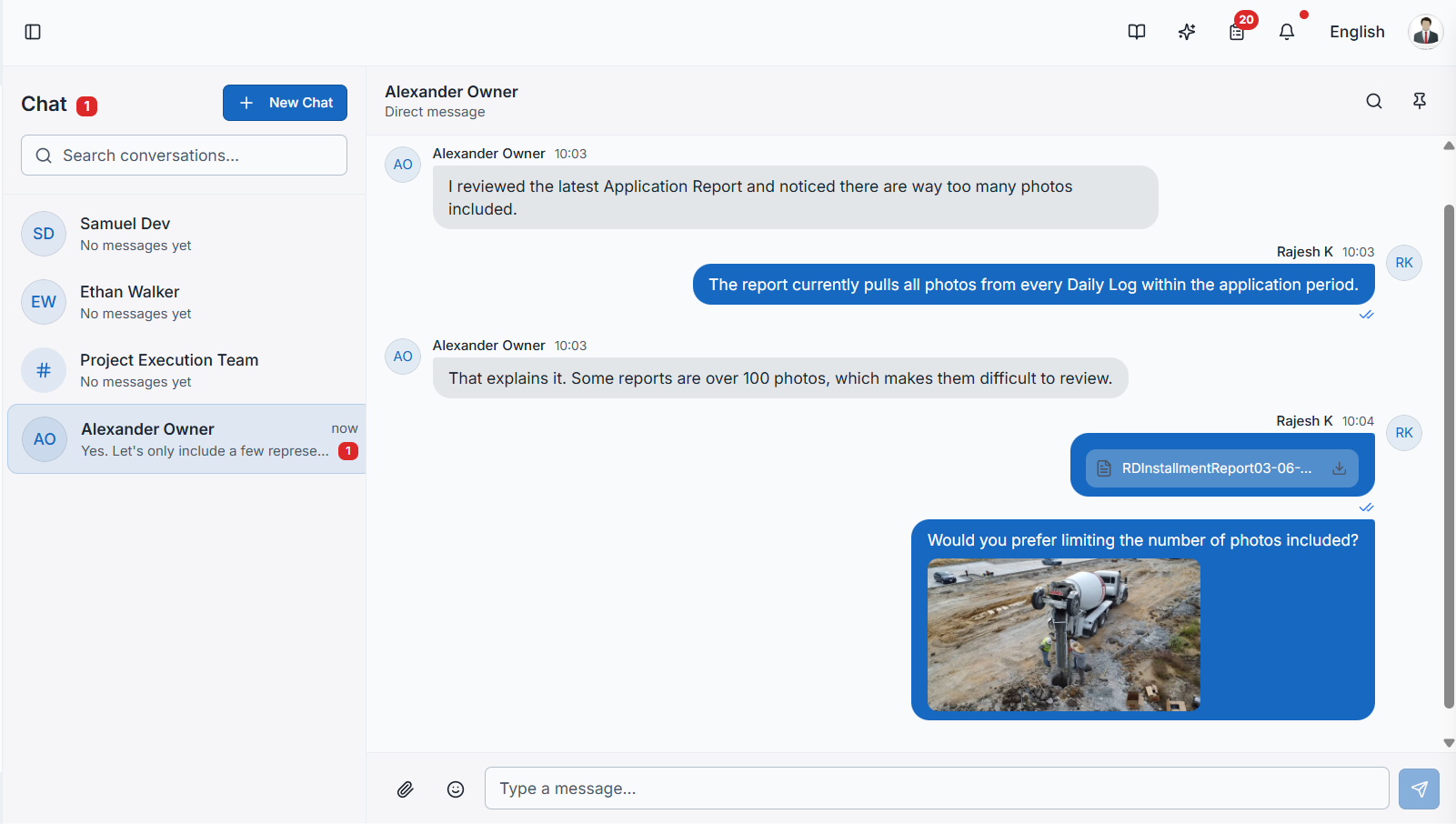
Use the Message Center for structured, searchable posts that need to be part of the official project record - with three privacy levels (Public, Owner Team, Private) and full read receipts per recipient. Use Chat for direct messages and group conversations with real-time delivery, file sharing, reactions, and message pinning. Both are role-aware and integrated across the platform.
- Two Communication Modes: Asynchronous Message Center for formal records, real-time Chat for day-to-day coordination - clear separation of intent.
- Three Privacy Levels: Messages can be Public (all project members), Owner Team (owners and developers), or Private (specified recipients only).
- Full Read Receipts: The Message Center tracks which recipients have viewed each message - accountability beyond a simple read indicator.
- Categorized Messages: Tag every message with a category, so the formal project record stays searchable and filterable over time.
- Reply Threads: Messages support threaded replies - the conversation stays attached to the original post, not scattered across emails.
- Direct Messages: 1-to-1 Chat for private back-channel conversations between any two project participants per role rules.
- Group Chats: Create group conversations with a name, description, and members - perfect for the daily field team or sub coordination.
- File Sharing & Pinning: Attach files in any conversation, with image previews inline. Pin important messages for easy reference later.
- Reactions and Forwarding: React to messages with emojis, forward messages between conversations, and reply inline to keep context.
- Read Receipts & Typing: See message delivery (single check), read (double check), and live typing indicators across every chat.
- Role-Based Chat Rules: Owners and Subs cannot DM each other directly - communication follows standard construction hierarchies automatically.
- In-App + Email Notify: New messages trigger both in-app notifications and email so nothing slips through, even when team members are offline.